
SPECIALIST COMPUTING SYSTEMS
Modern tools for IBM Z and IBM i.
Native terminal software, safe AI access, and specialist engineering for your core systems. Connect today’s workflows to the platforms your business depends on.
SYSTEM/77
Built around your core systems.
AnikaZEE Terminal
A native desktop terminal for IBM Z and IBM i, with familiar automation, host code editing, and an operator-controlled AI assistant.
Explore AnikaZEE Terminal 02 / EnvoyEnvoy
Give AI agents safe, audited access to CICS, Db2, IBM MQ, IMS, JES, data sets and more, as the real caller, authorised by RACF, and read-only unless you switch writes on.
Explore Envoy 03 / IBM Z & IBM iServices
Modernize interfaces, develop core applications, and maintain COBOL, HLASM, PL/I, RPG, and REXX with specialist engineering support.
Explore ServicesTHE SYSTEM/77 APPROACH
Deep expertise. Practical modernization.
We build software and provide engineering services for IBM Z and IBM i. Our work connects established systems to modern workflows, with attention to operational continuity, access controls, and the people who run them.
Explore ServicesNATIVE RUST DESKTOP APPLICATION
The Mainframe and iSeries Terminal Re-Engineered.
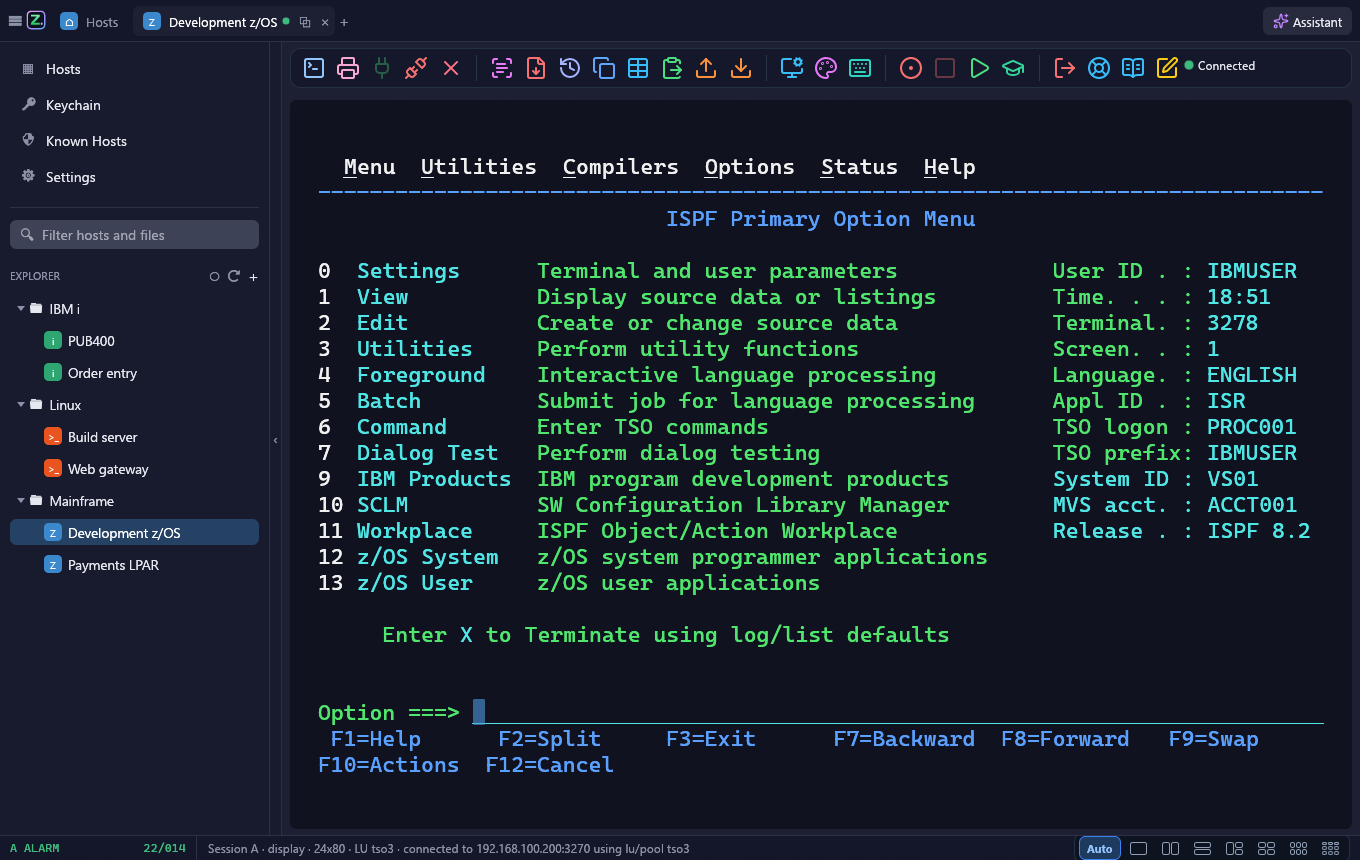
AnikaZEE on Windows and macOS: your hosts and their files in one window, TN3270, TN5250 and SSH sessions in tabs and split panes, an AI assistant the operator controls, and a built-in editor for host code.

Allow the assistant to
type "S" in NP of PAYROLL1, then Enter, on Development z/OS
ENTERPRISE PILOT & CONSULTATION
Modernize Your Core Systems With Confidence.
Book a technical consultation, or ask for a pilot license of AnikaZEE Terminal.
Tell us about your platform, goals, and deployment requirements.
IBM Z / IBM i · AnikaZEE · Envoy